Accessing risks
You can access risks via control systems.
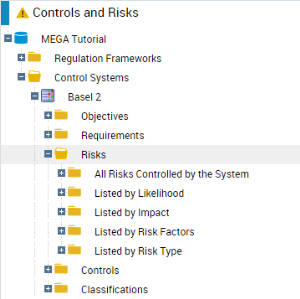
To access to risks of a control system from the Design pane:
1. Select Control & Risks > Hierarchy View.
2. Select a control system and expand the Risks folder.
 The risks mitigated (limited) by a control system can be viewed in the Mitigated Risks section of the control system properties window. For more details, see "Control Systems", page 22.