Diagnostic
As well as helping you configure UAS, UAS Tools also allows you to diagnose existing issues.
To diagnose existing issues:
1. In the UAS Tools menus, click the Diagnostic tab.
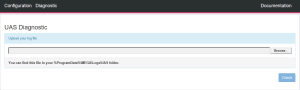
1. In the Upload your log file section, upload the log file you want to diagnose:
a. Click Browse.
b. In the dialog box: enter %ProgramData%\MEGA\Logs\UAS to reach the log file location.
c. Select the log file.
Your file is uploaded.
2. Click Check to analyze the log file.
UAS Diagnostic tool automatically loads the configuration from the log file (the last one present in the file), and it analyzes it too.
When UAS Diagnostic is done, the Diagnostic result page is displayed.
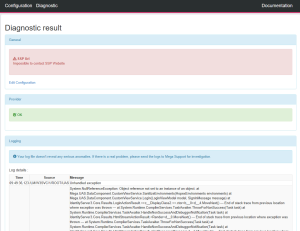
It is split in three main sections:
• General and Provider sections give you either the errors it encountered while analyzing the logs, or a message saying that the configuration is ok. You can edit the current configuration with the Edit Configuration link.
• Logging section shows a dump of the actual errors from the log file, with a message giving you advice on how to solve these issues, if necessary.