Creating an ArchiMate Relationship
All ArchiMate relationships are created using the Link button  available in the toolbar of any diagram view.
available in the toolbar of any diagram view.When creating a relationship, a dialog box displays the list of possible relationship types available between the two elements in the current viewpoint.
 For more details on the possible ArchiMate Relationship types, see ArchiMate Relationships.
To create an ArchiMate Relationship in a diagram view:
1. In the insert toolbar, click the Link button .
. 2. Click an ArchiMate Element and, holding down the mouse button, drag the cursor to the ArchiMate Element to be connected and release the mouse button.
The two ArchiMate Elements are highlighted and a dotted line indicates the path that will be taken by the graphic link.
3. In the Link a dialog box, select the relationship type you want to create.
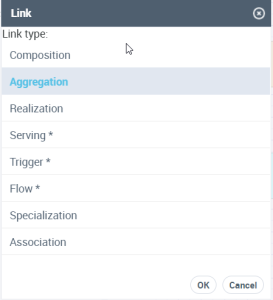 Indirect relationships appear with a star suffix: Serving *, for example, and are displayed in grey in the diagram. For more details on Indirect Relationship, see "ArchiMate Relationships MetaModel", page 73.