Consulting Application Installations
To access the installations of an application:
1. Open the application properties.
2. Select the Version and Installation page.
The list of installations associated with the application is displayed with:
• deployment date
• planned retirement date
To access characteristics of installations of an application:
1. Select an installation.
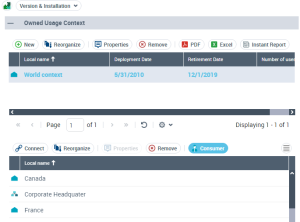
The hostings and usage contexts associated with the installation appear in the following sections.
In Context of Use you can define :
• context begin date:
• proposed functionalities retirement date
• planned number of users
By clicking a context, you display in the following section:
• The list of functionalities associated with the context (Implemented Functionality)
• The list of users of these functionalities (Consumer)