• The  icon indicates that propagation of the MetaAssociationEnd is different from propagation of the MetaAssociationType.
icon indicates that propagation of the MetaAssociationEnd is different from propagation of the MetaAssociationType. icon indicates that propagation of the MetaAssociationEnd is different from propagation of the MetaAssociationType.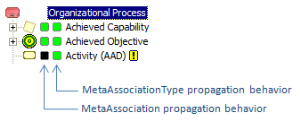
 "Computed" behavior uses a macro (_BehaviorMacro which must be previously created and linked to the current link and perimeter, see "Using VB Scripts to Calculate Characteristics".