 Select the Access by Reference check box in the create element dialog box. Select the Access by Reference check box in the create element dialog box. In the navigator, click the element that is to be defined as a reference. In the right part of the editor, in the Characteristics subtab, select the Access by reference check box.
|
Diagram
|
Diagram
|
XML Document
|
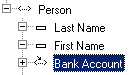 |
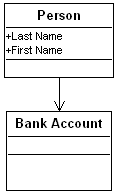 |
<Person Account="1306" Name="Smith"/>
<BankAccount id="1306"/>
|
 This type is defined by XML and is therefore available in all the schema languages.
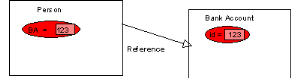 Whether this identifying attribute is added is determined by the value of the parameter XDD compulsory ID attribute. The default value (yes) indicates that the attribute is to be added.
 Diagram | XML Document |
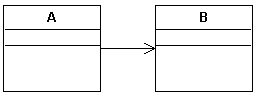 | <A id="25", B="123"/> <B id="123"/> |
Create an association between the referenced class and the class that references it.Right-click the referencing role and select Aggregation > No (default value).