Generating an XSD Schema
XSD schema generation is accessible from the following objects:
• A UML package of the "XML Document Definition" stereotype
• A UML class of the "XML Document Definition Root" stereotype
• A UML component of the "Project" stereotype
• A UML component of the "File" stereotype
To generate an XSD schema:
1. Right click the object to be generated and select Generate.
2. In the dialog box that appears, select XSD and click Next.
3. In the next dialog box, indicate the generation folder and click Next.
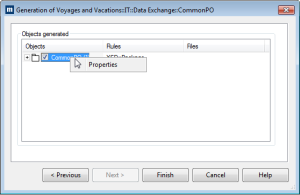
The dialog box displays the objects to be generated.
You can configure the generation of those objects using their properties dialog box.
4. Click Finish.