Workspace Properties
To consult your workspace properties:
1. Connect to HOPEX.
2. In the HOPEX menu bar, select File > Properties.
The properties dialog box of your workspace appears.
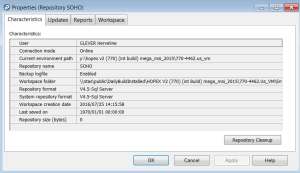
The workspace properties dialog box provides the following information on the current workspace:
• current User
• information on the current repository: its Name, Backup logfile, Format, Workspace creation date, Last saved on, size
• Repository Cleanup option.
 See "Connecting to HOPEX".