Validating Audits
Creating audits
To create an audit:
1. Click Audit > Preparation > Audit Plans.
2. Open the properties of the audit plan that will include the audit to be created.
3. Click Audits.
4. In the audits page, click New.
The new audit appears under the audit plan.
Accessing Audits
To access audits of an audit plan:

Click
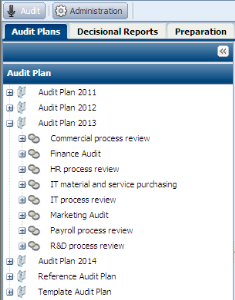
Audit > Audit Plans, and expand the audit plan.
Audits corresponding to the audit plan appear.

You can also access the list of audits via menu
Audit > Preparation > Audit Plans > All Audits.