Participations
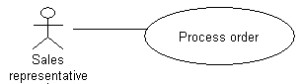
Actors are connected to use cases with which they are involved by means of participations.

A participation indicates that an actor plays a role in a use case.
You can indicate that an actor participates in a use case as initiator or contributor by using a participation.
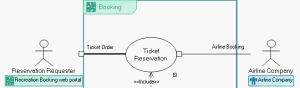
Example:
• The "Booking Requester" actor intervenes in "Ticket Booking" as Initiator.

The participation link appears in bold when the actor is initiator of the participation.
• The "Airline Company" actor intervenes in "Ticket Booking" as Contributor.
To create a participation:
1. In the diagram objects toolbar, click the

button.
2. Click the actor concerned, and drag the mouse to the use case before releasing the button.
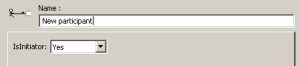
The Create Participation dialog box appears.
3. Enter the name of the new participation if required.
4. Specify the actor participation type in the IsInitiator box.
5. Click OK.
The link representing the participation appears in the diagram.