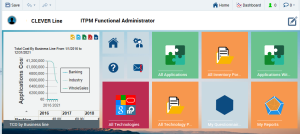
Home page
The home page appears in the form of tiles that represent shortcuts to the repository data.
Example of the Home Page for the HOPEX Information Architecture Solution desktop
Depending on the solution, the home page of your desktop contains:
• tiles specific to your profile.

When you roll the mouse over the tile, the number of objects contained in the list appear on the tile. To permanently display the number of objects contained in the list, see
"Resizing a tile".
Example: the HOPEX IT Portfolio Management home page for the functional administrator includes, by default, tiles that provide access to the list of all inventory portfolios as well as the list of repository applications.
• a
Help 
button to access
HOPEX online documentation
• an
Options 
button to access your options
• an
Alert management 
button to access your alert management