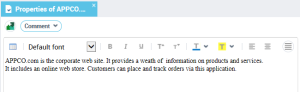
Using the Comment Tab/Page of an Object
To enter or modify a comment associated with an object:
1. Open the property page of the object of interest to you.
• (Windows Front-End) select the Comment tab.
• (Web Front-End) in the drop-down list select Comment
The comment entered will automatically appear in the generated document.
In this tab, icons give access to text editing functions (cut, copy, paste etc.).
To create a new paragraph while entering the comment:

Press <Enter>.
When several types of text are available for the same object, a drop-down list allows you to select the type of text entered.

To comment a diagram and the object it describes in HOPEX Windows Front-End, select
Diagram > Properties and
Diagram > Described Object > Properties.