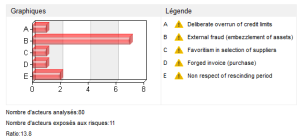
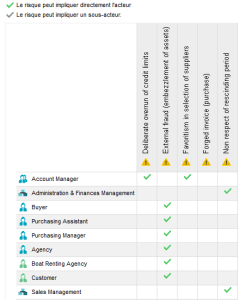
For more details on the specification of risks incurred, see "Organizing Risks".For more details on the specification of risks incurred, see "Organizing Risks".When a report template includes several required parameters, you must complete the report before launching it.To create this report with the Risk Manager (simplified) profile: in the Reports tab, select Identification > Matrix of Risks Incurred by Org-Units.
|
Parameter
|
Parameter type
|
Constraints
|
|
Org-units exposed to risks
|
Org-Units
|
At least one object mandatory.
|
|
Scope of analyzed risks
|
Risk
|
Not mandatory. If no value is given, all risks are analyzed.
|