Specifying Object Life
Creating an object life
To create object life:

The object life is a set of time periods representing the updated calendar of object life cycle states.
1. Right-click the object concerned and select New > Object Life.
The creation of object life dialog box appears.
2. Specify the following characteristics:
• a Life Cycle which enables definition of the list of possible states of the object.
• a Begin Date and an End Date which enable positioning of the object life in time.
3. Click OK.
The object life appears in the Gantt chart of the application.
From information on object life, the Gantt chart represents planning of the different steps in time.
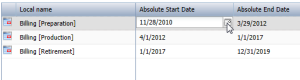
Updating the dates of the object life
By default, the different steps in the object life cycle are distributed in equal time periods between object life begin and end dates.
These dates are accessible and can be modified in the application Gantt chart.
Accessing properties of a time period
In the Gantt chart, the pop-up menu of a time period presents commands specific to the described application ("Billing" in our example), followed by the commands relating to the time period itself.
To access properties of a time period of the application life:
1. In the Gantt chart, right-click the time period.
2. In the time period pop-up menu, select Properties.
 For more information on proposed life cycles, see "Defining Life Cycles", page 24.