Consulting the Application Environment Report
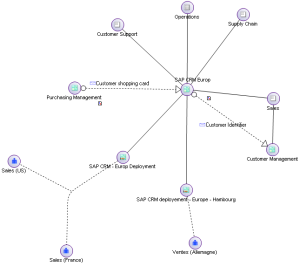
This report presents, below a diagram shape, links between an application and its environment. Components appearing in the diagram can be applications, deployments, technologies, functionalities, consumer org-units or business processes.
To create an application environment report:
1. Click the icon of an application and select New > Application Environment Report.
The report appears in the edit area.

The links between applications correspond to message flows exchanged.