Generating the Portfolio Business Capability Map
To generate a business capability map from a portfolio:
1. Right-click the portfolio concerned and select Properties.
The properties dialog box of the portfolio appears.
2. Click the drop-down list then Reporting then Business Capability Map.
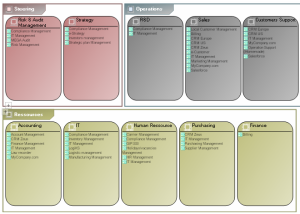
The diagram positions portfolio applications in areas that represent business capabilities. It therefore reflects functional coverage of portfolio applications.
Example of Business Capability Map
 For more information on Business Capability Map, see "Defining Business Capabilities", page 23.