Evaluating Portfolio Applications
Portfolio applications are evaluated related to different portfolio criteria.

Standard criteria relating to costs are automatically calculated, they cannot therefore be modified in this tab. For more details on these criteria, see
"Using Existing Criteria".
Accessing applications to be evaluated
To access evaluations of all portfolio applications:
1. Open the properties pages of the portfolio.
2. Click the drop-down list then Evaluation.
The list of evaluations of all portfolio applications according to different criteria is displayed.
3. To define a criterion value on an application, such as a cost, select the application concerned and click in the criterion column.
Generating a PDF or Excel evaluation data file
The PDF and Excel allow you to generate PDF and Excel files of evaluation results.
For reasons of readability, the PDF file contains a maximum 12 columns.
Generating an instant report on evaluation data
Instant reports allow you to carry out drill-down analysis on evaluated objects. They provide greater detail depending on specific analysis perspectives (quantitative, time, etc.).
To generate an instant report on a list of evaluated applications:
1. Open the properties pages of the portfolio.
2. Click the drop-down list then Inventory.
3. In the list of applications, select those to be analyzed.
If you do not select an application, by default the report covers all applications.
4. Click Instant Report.
If necessary, click

to display the hidden commands.
5. Select the required analysis type, for example "Breakdown".
6. Click OK.
7. In the list of possible grouping criteria, select "Costs".
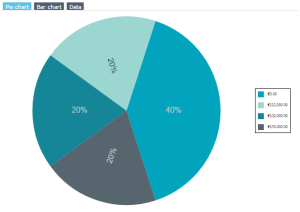
For all selected technologies, you receive the cost breakdown according to their levels.
Portfolio costs report
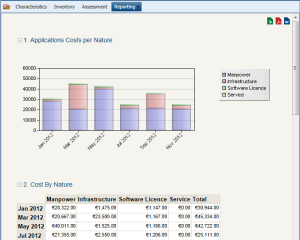
A report automatically displays the global costs of applications contained in a portfolio.
To access the portfolio cost report:
1. Open the properties of the portfolio.
2. Select Reporting > Costs Report.
An analysis report also summarizes costs of applications and of their versions and deployments between the portfolio start date and end date.