Triggering Workflow Transitions
MEGA solutions are based largely on workflows to manage interactions between different stakeholders.

For more details on workflow transitions, see the
HOPEX Collaboration Manager - Workflows guide, chapter "Using Workflows".
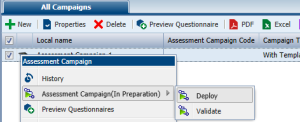
To trigger a workflow transition from an object list:

Select an object in the list and in its pop-up menu select the appropriate workflow command.
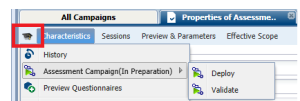
To trigger a workflow transition from the properties dialog box of an object:
1. Open the properties dialog box of the object concerned.
2. Click the icon of the object and select the appropriate workflow command.
The workflow then progresses. The object passes to another workflow state and a new participant can intervene in the workflow.