Exiting a Solution
Data updating principle
A user accessing repository objects can make modifications that are visible to other users connected to the same repository.
To make public the updates carried out:

Click

.
You are advised to regularly back up your work, for example:
• when you change Solution,
• when you select a new navigation tab.
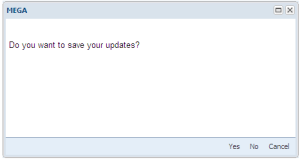
A dialog box proposes several choices.
• Yes: makes public the updates carried out.
• No: cancels modifications carried out since last backup.
• Cancel: cancels your last action and returns to the previous page in progress to allow you to continue modifications without making these public.
Disconnecting
To disconnect:
Click
Logout 
at top right of the page.
A dialog box asks if you want to make public the modifications you have made.