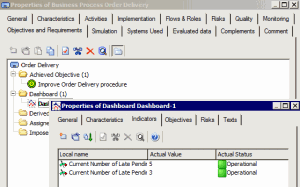
An indicator is a measure of achievement of an objective, impact of a risk factor, frequency and impact of a risk, effectiveness of a control, etc.An indicator is a measure of achievement of an objective, impact of a risk factor, frequency and impact of a risk, effectiveness of a control, etc.
|
Objective
|
Type
|
Indicators
|
|
Reduce order delivery time
|
Quantitative
|
Order delivery time
|
|
Improve quality of the product
|
Qualitative
|
Number of anomalies indicated by customers
|
|
Improve customer satisfaction
|
Qualitative
|
Percentage renewal of maintenance associated with products
Return rate of products on loan
|
 In the properties dialog box of the objective, select the Supervision tab.