Customizing a Report
You can customize your chapter content, chapter style or the style of a series of a report chapter.
Updating the content of report chapter
You can, for example:
• reverse the display of the series
• show/hide the percentage values in the bars.
• define the maximum value of axes

The values modified locally override the global values defined for all reports.
To modify the report content:
1. Edit the report.
2. In the report page, click
Edit style parameter values 
and select
All Series.
The edit frame appears.
3. In the Content frame, modify the parameters concerned.

To reset the values, click
Reset Parameter Values 
.
Attention: the style parameter values in the report chapter are also reinitialized.
4. Click Apply.
Your modifications are immediately taken into account in the report.
Modifying the style of a chapter of a report
You can, for example:
• hide/show the caption
Default value: yes (display)
• modify the colors and the color palette of the series
• modify the display angle of the lower title text (in degrees)
Default value: 0°, the text is horizontal.
Attention: the values defined locally replace the global values defined for all reports.
Attention: modification to certain parameters is visible in Excel, PDF, or RTF format only.
Example: 3D Dimension.
To modify the style of a report chapter:
1. Edit the report.
2. In the report page, click
Edit style parameter values 
and select
All Series.
The edit frame appears to the right.
3. In the Style frame, modify the parameters concerned
To reinitialize the value of a parameter, delete the value that you entered.
To reset all values, click
Reset Parameter Values .
Attention: all parameter values in the report are also reinitialized.
4. Click Apply.
Your modifications are immediately taken into account in the report.
Modifying the style of parameters in a report chapter
You can:
• (for a bar chart) modify the display style (as bars or as lines)
Default value: no (as bars)
• modify the series color
To modify the parameter style of a series in a report chapter:
1. Edit the report.
2. In the report page, click
Edit the Style Parameters Values 
and select the series that you want to modify.
The edit frame of the selected series appears to the right.
3. In the frame of the selected series, select the parameter values that you want to modify.
4. Click Apply.
Attention: the values defined locally replace the global values defined for all reports.
Reinitialize the parameter value of a report chapter
You can reinitialize:
• the value of content or report style parameter
• all your changes to content and report style parameters
To reinitialize the value of a content or report style parameter:
1. Edit the report.
2. Delete the value that you have entered for the parameter.
3. Click Apply.
The default value of the parameter is automatically taken into account.
To reinitialize all your changes:
1. Edit the report.
2. Click
Reset Parameters Values .
3. Click Apply.
Attention: all content and report style parameters return to their default value.
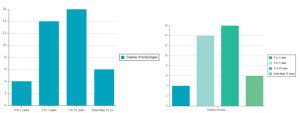
 or see "Expanding a Report Chapter Automatically on Opening".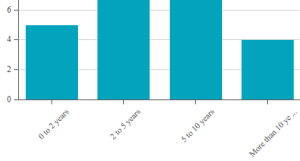
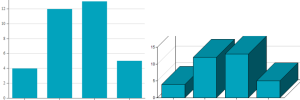
 or see "Expanding a Report Chapter Automatically on Opening".