Finding Object Variants
A query can find all objects derived from another. This is the "Object Variant" query.
To find object variants:
1. In the MEGA query bar, select object type "Query" and enter "Object Variants".
The "Object Variants" query appears in the results dialog box.
2. Right-click the query and select Execute.

This function is available with
MEGA Windows Front-End only.
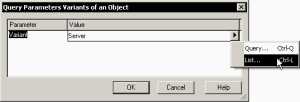
3. In the dialog box that appears, enter the name of the varied object, for example "Server". Clicking in the Value frame, an arrow appears allowing you to find the name of the object.
4. When the object has been selected, click OK.
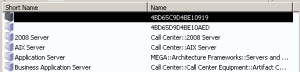
The list of objects derived from "Server" appears. The tool displays not only direct variants but also sub-variations.