Opening a Project Scheduling Diagram
Open a diagram in the workspace
To access the diagram that describes a project:

In the
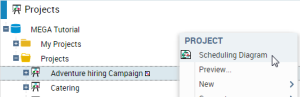
Projects navigation window, right-click the repository name and select
Scheduling Diagram.
The project scheduling diagram appears.
Display an example
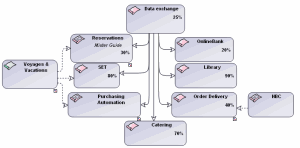
"Voyages and Vacations" project scheduling diagram
The sequencing order of projects is represented by solid lines.
In the example above, the "Data exchange" project is a prerequisite for the other projects.
Splitting of a project into sub-projects is represented by dotted lines.
The "Voyages and Vacations" project comprises three sub-projects: "Reservations", "SET" and "Purchasing Automation".
Opening a diagram from another diagram
The "Reservations" project is itself described by a diagram.
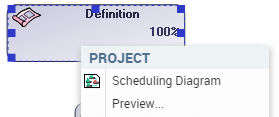
You can open the diagram from the pop-up menu of the project.
The "Reservations" project scheduling diagram appears.
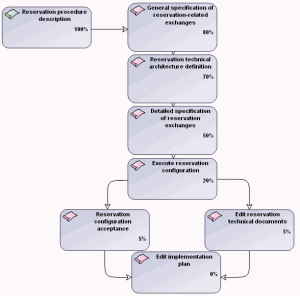
"Reservations" project scheduling diagram
This diagram presents the various phases of the "Reservations" project with their progress percentage.
This diagram specifies that:
• description of reservation procedures is completed
• essentials of definition of technical architecture and general and detailed specifications have been carried out
• configuration has begun
Still to be carried out are acceptance and the editing of technical documents and deployment plan.