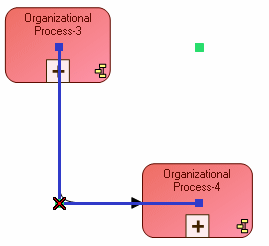
Context of use | Effect of <Ctrl> key |
Click a free link and move it, holding the <Ctrl> key down. | A joint is created. |
When several joints exist, click one of these holding the Ctrl key down. | The selected joint is deleted. |
Click the joint of an orthogonal link, holding the <Ctrl> key down. | The position of the orthogonal link is reversed. |
 To delete a link joint when only one joint exists, select the joint and click button
  . The link becomes straight.