Creating a Diagram Using the Wizard (MEGA Windows Front-End)
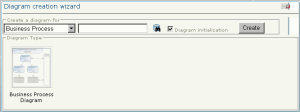
In the edit area of the desktop, the start window allows you to easily create your diagrams with the help of a diagram creation wizard.
To create a diagram using the wizard:
1. Click the category of diagram that interests you, for example "Process".
A dialog box proposes different diagram types belonging to this category and to the object type serving as entry point.
2. In the drop-down list, select the object type for which you want to create a diagram, for example "Organizational Process".
3. Enter the name of your diagram in the box on the right of the object type.
4. Select "Flowchart", the only available choice in this example.
Click the Diagram Initialization check box if required.
5. Click Create.
Your new diagram opens.