Queried objects
Querying a single object type
You can execute a query on a single object type (for example, org-units in the repository).
To do this:

Select an object type in the drop-down list of the first box in the query bar.
To list all objects of the same object type:
1. Select the target object type as shown above.
2. Click

or press <Enter> to run the query.
Listed objects appear in the results window.
Querying all object types
You can execute a query on all object types in the repository.
To do this:
Select "*All*" in the first box of the query bar, in the top of the drop-down list.
Querying several object types
To execute a query on a limited number of object types:
1. In the query bar, click Targets Selection, accessed by the second arrow.
2. In the Select Query Targets dialog box, select the object types on which you wish to run a query, then click Add.
The query bar shows "Selection" in the box on the left designed for indication of the object type.
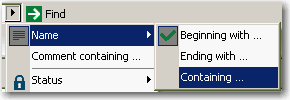
3. Then enter your query and specify if you want to search a character string in the name or in the comment.
4. Click
or press <Enter> to run the query.
The results window obtained is heterogeneous (multi-target).