Entering Query Parameters
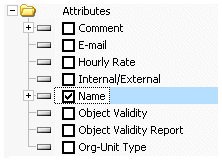
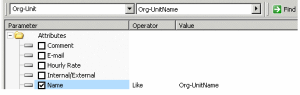
The Parameters column contains the names of query parameters (characteristics, links, associated objects). Check boxes enable indication of which parameters define the query.

You can select or clear the parameters you wish to take into account in building your query.
Selected links or properties then appear highlighted to facilitate query build and readability.

To reinitialize all parameters, click button

(
Remove all query criteria).
When you enter a name against the target object type in the assistant query bar, the Name parameter is initialized using this value.
Confirm that you have selected one of the options proposed by the arrow in the second box (
Name starting with...,
Name containing..., etc.).
Extending the list of proposed parameters
By default, the tree presented in this tab includes only the main query parameters.
To display all query parameters:
Click

then
See Administration Properties.
If you are working in a multilingual environment, also select
See translation properties.