Annotating Elements of a Book
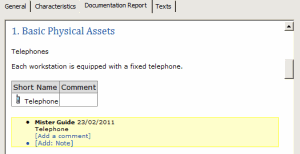
The text of a book or chapter is accessible in the Documentation Report tab of its properties dialog box.
The field Add: Note allows insertion of notes so that these will be visible to all participants in the book.
When it has been published, a note contains:
• Name of the author of the note and note creation date.
• Name of the paragraph containing the note.
• Text associated with the note.

You must dispatch your private workspace so that other users can see the note.