Installing a Writing Access Diagram
To install a writing access area diagram in an environment already in production:
1. From Hopex Administration, open the writing access diagram.
2. Ask users who have a private workspace in progress to close this.
3. Create an "Old Data" writing access area
4. Attach all users (except the "Administrator" user) and all objects of all repositories to the "Old Data" writing access area.
Users may resume working.
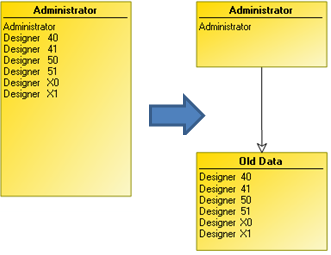
5. Create new writing access areas according to projects.
6. Distribute users between these writing access areas.
7. Distribute objects between these projects/writing access areas for all repositories of the environment.
 Until this distribution is completed, projects can interfere with each other, since they have rights to modify objects created before distribution.
8. (Optional) When all objects of all repositories have been distributed, you can delete the "Old Data" writing access area.
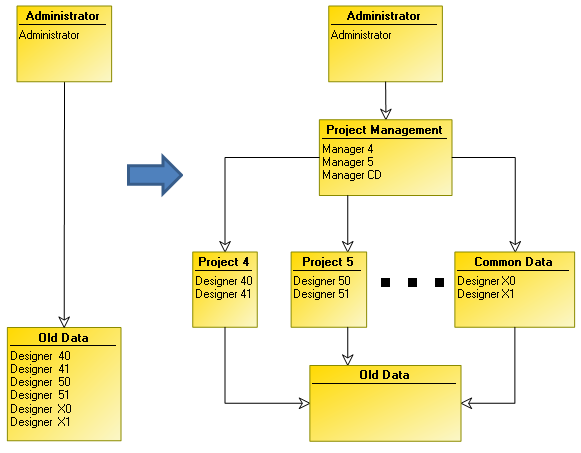
 If the environment is new and there is no data to be distributed between the new writing access areas, you do not need to draw the diagram with the "Old Data" writing access area.