Viewing MetaAssociation Behavior Related to a Perimeter
To view MetaAssociation behavior related to a perimeter:
1. In the MetaStudio navigation window, expand the MetaClass folder, then the MetaClass type folder.
2. Right-click the MetaClass concerned and select Manage > Parameterize.
The Configuration of MetaAssociations Behavior Related to Perimeter dialog box appears.
 In the MetaClass box, the MetaClass concerned is already selected. You can modify this selection via the drop-down menu.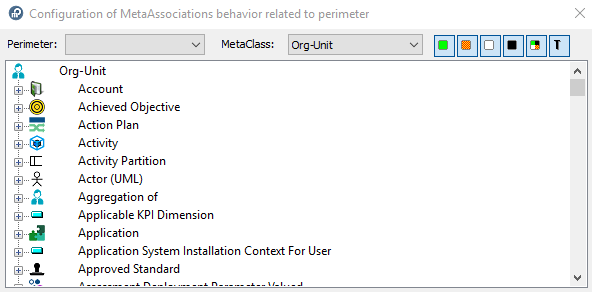
3. In the Perimeter box drop-down menu, select the perimeter you want to study.
Only those perimeters with _OpPreview characteristic value "Active" are visible.The Configuration of Behavior of MetaAssociations Related to Perimeter dialog box is updated.
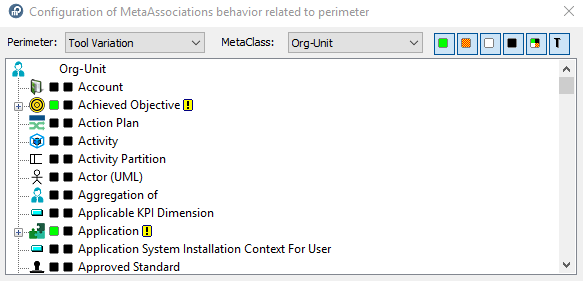
The Configuration of Behavior of MetaAssociations Related to Perimeter dialog box details for the selected MetaClass (here "Org-Unit") the behavior of the selected perimeter (here "Tool Variation") for each MetaClass concerned:
• propagation behavior of each MetaAssociation (link)
• propagation behavior of each MetaAssociationType (link type)
For description of icons, see MetaTool.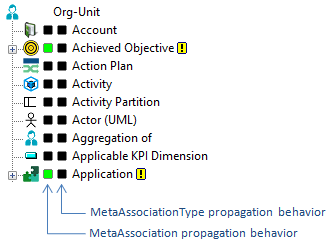
You can filter display:
 To show only certain propagation types, click Deep
  , Standard
  , Link
  , Abort
  and/or Computed
  .To show/hide behavior of MetaAssociationTypes (link default behavior before customization), click
  .
.A second column appears/disappears at the right of the propagation types column.
 indicates that propagation of the MetaAssociation is different from the MetaAssociationType.