Adapting Development Tools to the Abstract Metamodel
The use of abstract MetaClasses and generic MetaAssociations modifies tools of the Hopex platform.
Property pages
To access the list of MetaAttributes of an abstract MetaClass:
1. Open the Properties window of the MetaClass.
2. Select the MetaAttribute tab.
Note the three subtabs:
• MetaAttribute, groups the list of MetaAttributes specific to the current MetaClass.
• SuperMetaAttribute, groups the list of inherited MetaAttributes.
• Standard, groups the MetaAttributes automatically inherited by any new MetaClass. The format of these attributes is defined as"Standard" in the MetaAttribute Format field of the Characteristics tab. For more details, see MetaAttributes.
To access the list of MetaAssociations inherited from an abstract MetaClass:
1. Open the Properties window of the MetaClass.
2. Select the MetaAssociation tab.
Note the two subtabs:
• MetaOppositeAssociationEnd, groups the list of MetaAssociations specific to the current MetaClass
• SuperMetaOppositeAssociationEnd, groups the list of inherited MetaAssociations.
Abstract metamodel diagrams
In an abstract metamodel diagram, graphic functionalities enable visual differentiation of abstract metaclasses, inheritance relationships and generic links.
To view metamodel diagrams proposed in the Hopex platform:
 In the MetaStudio navigation window, expand the Metamodel folder, then the MEGA Modeling folder.
For example, to access the metamodel diagram concerning libraries:
1. In the MetaStudio navigation window, expand the Metamodel folder, then the MEGA Modeling folder.
2. Open the metamodel diagram "Library & Packaging Model".
Note that:
• the "Library" MetaClass is grayed
• the abstract MetaClasses "Owner Packager", "Packaged Element" and "Library Element" appear in color
• a directional link indicates that the "Library" MetaClass inherits the "Container" MetaClass
• a generic MetaAssociation is defined between the "Container" abstract MetaClass and the "Containable Element" abstract MetaClass.
Query Tool
Querying from an abstract MetaClass

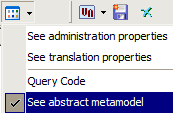
Querying from a generic MetaAssociation
