Modes of Transfer to a Production Repository
There are several possible modes of transfer of objects to a production repository.
Organizational and Technical Choices
Organizational choices impose constraints and influence the choice of transfer mode. Certain questions should be asked:
• Are modelers responsible for dispatch of their work?
• Is validation necessary before dispatch of models?
Large teams generally require a validation step, which is not necessarily required by small teams.
• Which event triggers object transfer or validation?
• Who triggers transfer (modeler or validator)? From which repository (source repository or target repository)?
Depending on the selected organization, use of Compare and Align can be supplemented by:
• design tasks
• validation workflow
• definition of perimeters, using the Hopex Power Studio technical module.
 For more details, see the technical article "Customizing Perimeters".
• import/export files
Transfering Objects in Push Mode
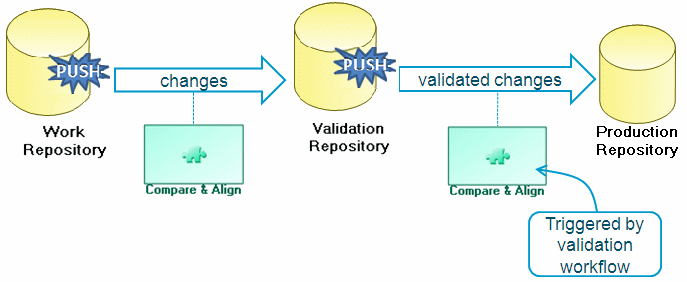
"Push" mode allows the user to transfer modifications from the work repository. It is not necessary to connect to the production repository.
"Push" mode without validation
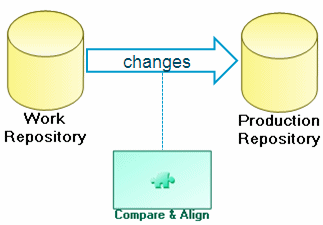
Variants are possible:
• transfer triggered at dispatch
• transfer with simultaneous dispatch
"Push" mode with validation
Data transfer by compare and align can be automatically triggered with installation of a validation workflow
Transfering Objects in Pull Mode
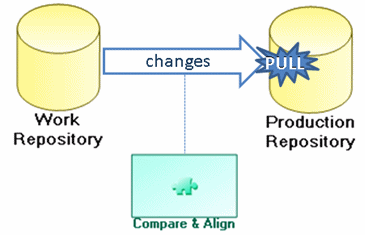
"Pull" mode requires connection to the production repository. Modifications are imported in a private workspace from the target repository.
If transfer is under the responsibility of users working in the source repository, this mode can prove to be restrictive. In this context, users connected to the source repository must:
• dispatch their private workspace in the work repository (source repository) and exit Hopex
• open a private workspace in the target repository
• import objects from the target repository
• dispatch the private workspace in the target repository
• open a new private workspace in the work repository (source repository) to continue modeling work
If however the transfer is under the responsibility of users controlling the transfer result before dispatch, "pull" mode has the advantage of allowing private workspace discard if necessary.
"Pull" mode with validation
• A model cannot be modified while it is awaiting validation
• These modifications are saved in the private workspace. The private workspace is dispatched if the model is validated.
"Pull" mode with use of design tasks
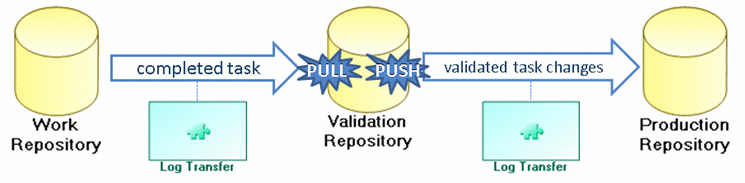
It may be necessary to check dependencies between tasks before export/import of the logfile.
Automatic alignment
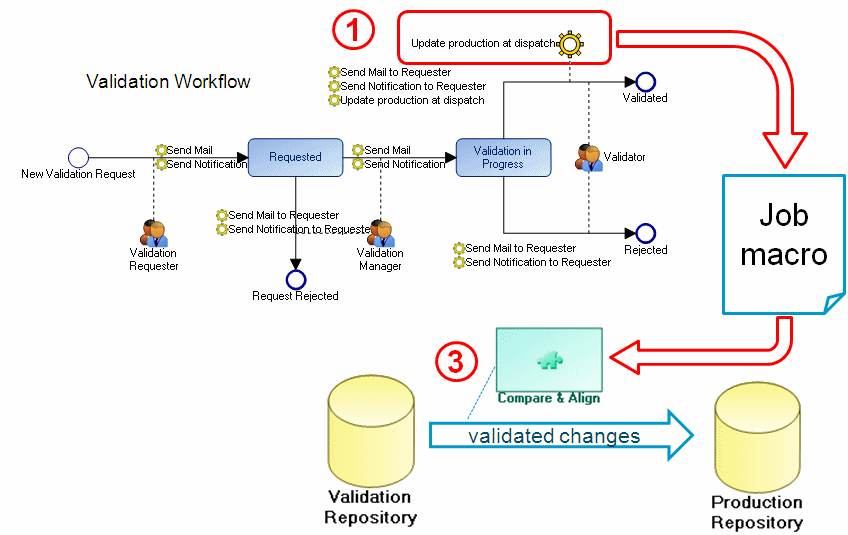
The production repository is updated at the time of dispatch (1).
A "job" macro (2) automatically triggers alignment (3)