Handling Candidate Objects
The Candidates tab of the advanced search tool appears when the advanced search tool is run from another tool such as the explorer, a diagram, etc.
It presents, by object type:
• objects from History
• objects from Favorites
• objects included in the HOPEX clipboard.
These are objects recently or currently used. This mode enables fast access to objects handled. It is useful when you call the query tool from a function that does not allow use of the navigator.
 This tab does not appear if you run the query tool from the desktop (you therefore have access to the navigator, enabling you to easily handle repository objects and in particular your favorites and history).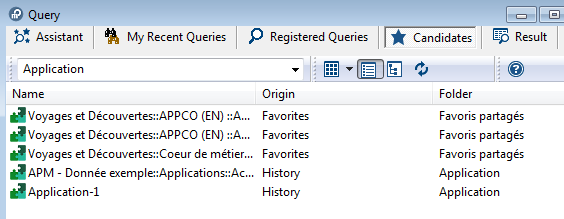
To filter the object display as a function of their source:
1. In the search window toolbar, click Show  .
.
.2. Clear the options from sources that you do not want to display:
• Favorite objects
• Recent objects
• Clipboard