Sending a Process for Approval
To send a process design for approval:
1. Open the Workflows property page of the process.
 You can display (or hide) pages using the Show/Hide
  button.
 2. Click Start Workflow.
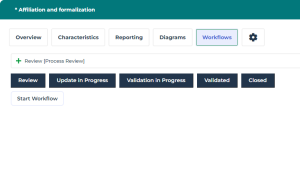
3. Complete the updates of your choice.
4. Click Mark Stage as Complete.
The process is sent for approval to the Process Owner - and the Process Contributor(s) if applicable - via an email notification.
 Once the validation request is sent, the process is locked: its related diagram, description and owned objects are not editable. To edit the Process, you need to put it back to the "Update in Progress" state.