Creating a Process
 A process is a set of operations performed by org-units within a company or organization, to produce a result. It is depicted as a sequence of operations, controlled by events and conditions. In the BPMN notation, the process represents a sub-process from the organizational point of view.
To create a Process from the navigation bar:
1. Select the Processes navigation menu> List tab.
The list of processes appears.
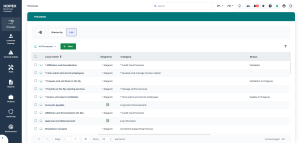
2. Click New  .
.
.The new process appears in the list of processes.
 If a current library is defined, its name is displayed in the Owner field of the process Characteristics page. For more details on the current library, see Setting a Current Library.
3. Click the new process to:
• define its properties.
• create a diagram.