Viewing Control Directives
Control directives are an interpretation of the law and contribute to the enforcement of any regulation article your organization has to comply with.
 Control directives correspond to Common Controls imported from UCF. For more details, see Main UCF Concepts.
Accessing control directives
To access the control directives of your register:
 In the navigation tree, select Compliance > Relevant Regulations > Control Objectives > Control Objectives.First-level Implied control directives appear in this list only if one of their children is mandated.
 Some columns indicate:
• whether the control directive constrains the organization
• the number of implementing controls associated
From the drop-down list you can view the control directives sorted according to different criteria:
• Control directives without controls
To create a control on a control directive, expand the Implementation section.• Control directives with controls never executed
• Control directives with deficient controls
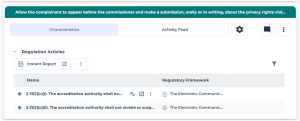
Viewing articles associated to a control directive
A mandated control directive is associated to a regulation article.
It is beneficial to have several regulation articles in the Regulation Articles section of a control directive. It means that your control directives enforce compliance of your organization to several regulation articles.
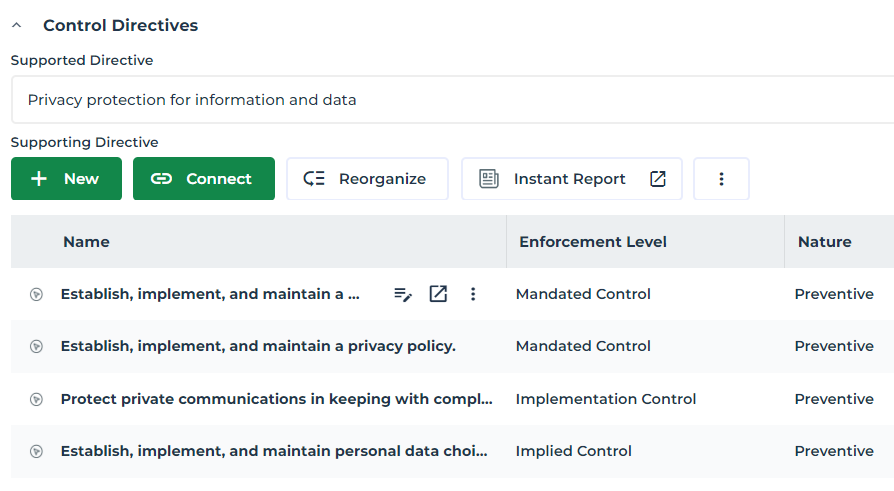
Supported and supporting directives
The properties of the control directive enable to view relations between control directives:
• Impacted control directive
• Contributing control directives
Enforcement level of control directives
There are three enforcement levels for each control directive:
• mandated
 a mandated directive is directly associated to a regulation article. It implements a regulatory framework.
• implied
An implied directive is a non-mandated control directive that is a parent of a mandated directive. It indicates that one of the control directives contained within its supporting hierarchy is mandated. • implementation
An implementation directive is a non-mandated directive that is a child of a mandated directive. It provides details regarding how to carry out the mandated directive and facilitates its implementation.Enforcement level for control directives | |
|---|---|
Implied control directive | - Is not mandated - Contains at least a mandated control directive in its hierarchy - Allows to display the mandated control directives within the UCF hierarchy - Is supported by a mandated control directive |
Implementation control directive | - Is not mandated - Appears under a mandated control directive (is supporting a mandated control directive) |
Mandated control directive | - Is supporting an implied control directive - Can be supported by implementation control directives - Can support or be supported by other mandated directives |
Viewing Hopex controls implementing a control directive
Columns in the list of control directives give you an overview of Hopex controls that are actually implementing each control directive.
To have a more detailed view of the controls on a control directive:
1. In the navigation bar, select Compliance > Relevant Regulations > Control Directives.
2. Open the properties of a control directive.
3. Expand the Implementation section.
You can also create controls from this section.You are given information on the control as well as on its execution results:
• Control nature
See Control nature.• Control level
See Control level.• Latest compliance rate
• Latest execution result
For more details on control contextualization see Executing Controls.Attaching business documents or external references
You may attach business documents to a control directive or create an external reference of URL type.