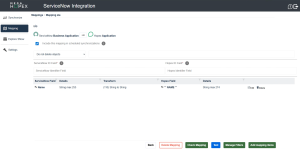
Including/Excluding Mappings from Scheduled Synchronizations
You can explicitly choose whether to include or exclude a mapping from the scope of scheduled synchronizations.
• Including a mapping means it will be automatically synchronized during the next scheduled synchronizations.
• Excluding a mapping means it will be ignored during scheduled synchronizations and will only be synchronized manually.
 By default, newly created mappings are not included in the scope of scheduled synchronizations.
 To include or exclude a mapping from scheduled synchronizations:
1. From the Mapping menu, open the relevant mapping.
2. Select or deselect Include this mapping in scheduled synchronizations.