Business
The Business navigation menu in the Viewer desktop provides read-only access to the key elements that describe the organization, its processes, and its transformation strategy.
This menu provides a structured view of the organization's business capabilities, processes, and strategic objectives.
Capabilities
This sub-menu displays:
• The hierachy of capability maps and their diagrams, business capabilities with the associated applications and application systems.
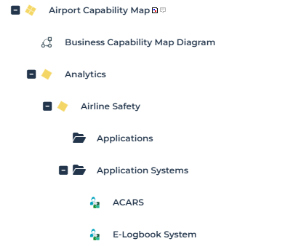
• The list of business capabilities, with a number of descriptive attributes in columns.
For more details, see Business Capability Maps and Value Streams.
Process categories
 A process category defines a group of processes.
This sub-menu displays:
• the hierarchy of process categories and processes
• the list of process categories
For more details, see the "BPM - Business Process Analysis > Process Hierarchy” documentation, including: Process Category Properties.
Strategic Planning
This sub-menu presents a hierarchical view of the repository enterprises.
 For more details, see Identification of Strategic Transformation Elements in “EA - Enterprise Architecture > Defining Strategy”.
Each enterprise is described in the form of a tree displaying:
• Goals and strategies
• Transformation stages envisioned
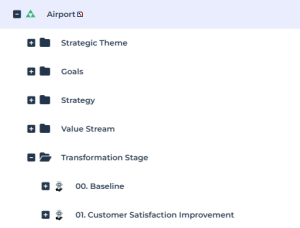
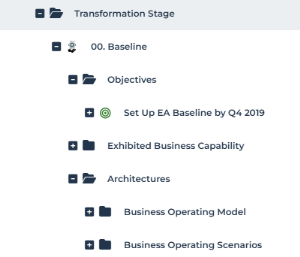
Each transformation stage is defined by:
• Its objectives
• Its tactics to implement
• The exhibited business capabilities
Processes
This sub-menu presents the list of processes.
A process is a set of operations performed by org-units within a company to produce a result. In the BPMN notation, the process represents a sub-process from the organizational point of view.For more details, see Processes in "BPM - Business Process Analysis > Process Hierarchy”.